

Deploying a Lab
Every scenario in Rogue Arena is a templatized Architect build — a real network topology that was designed on the canvas, built into live infrastructure, and saved as a reusable template. Scenarios are created by architects and made available to teammates or the broader community. When you deploy, you’re spinning up your own live instance of that build.
Deploying a Lab
Section titled “Deploying a Lab”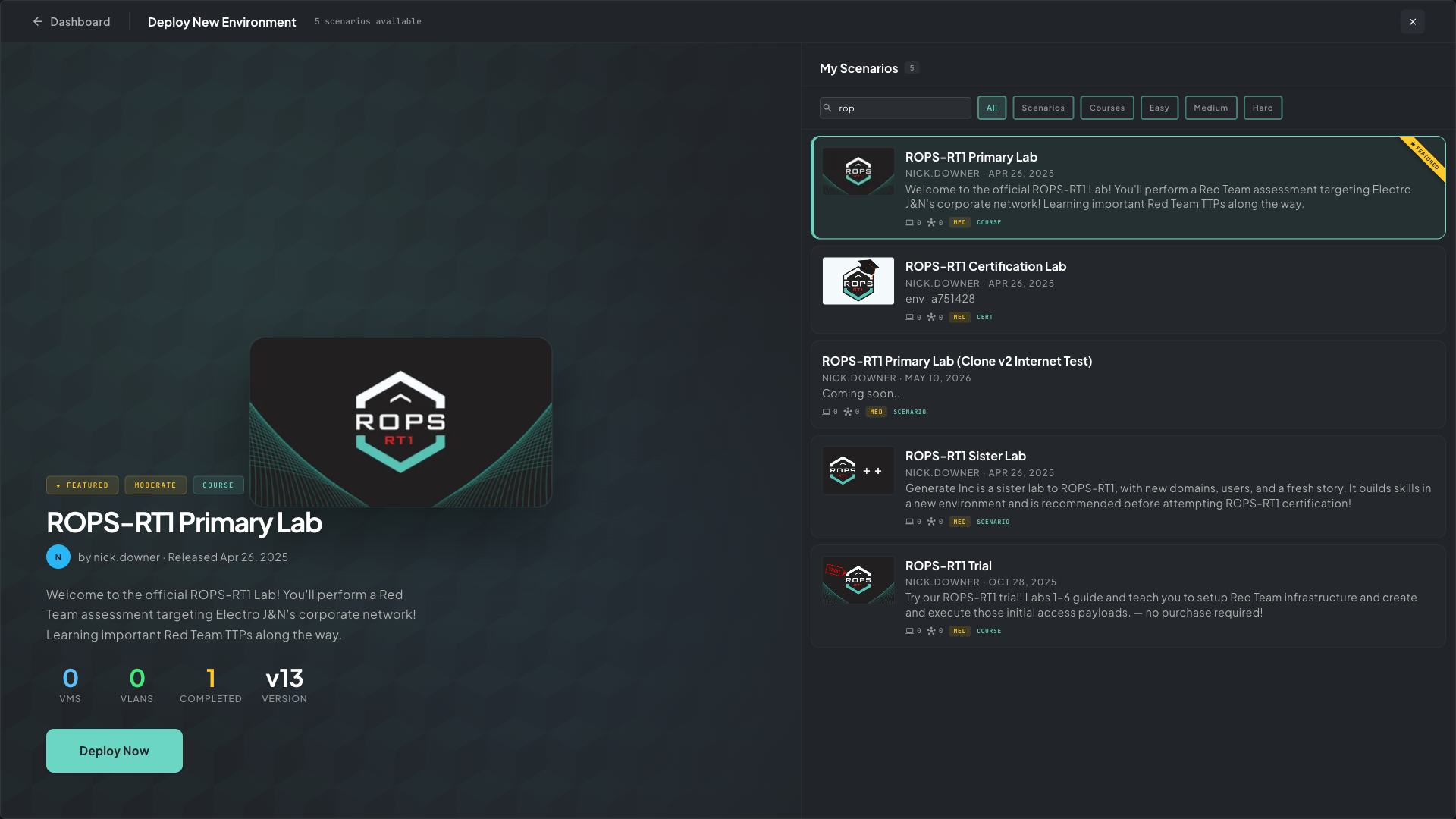 The Deploy New Environment screen — pick the scenario you want from the list on the right, choose a version, and hit Deploy Now.
Click Deploy from the arena home or navigate to the Scenarios page and pick your scenario. Before launching you can:
- Choose a version — scenario authors publish new versions over time with changelogs; pick the one you want to run
- Reset curriculum progress — optionally wipe your CTF and curriculum progress for a clean run on a scenario you’ve done before
Hit Deploy Now and the build starts immediately. Deployments typically take 5–10 minutes depending on the number of machines — the platform starts VMs in tiers, bringing up domain controllers and infrastructure first before dependent machines come online.
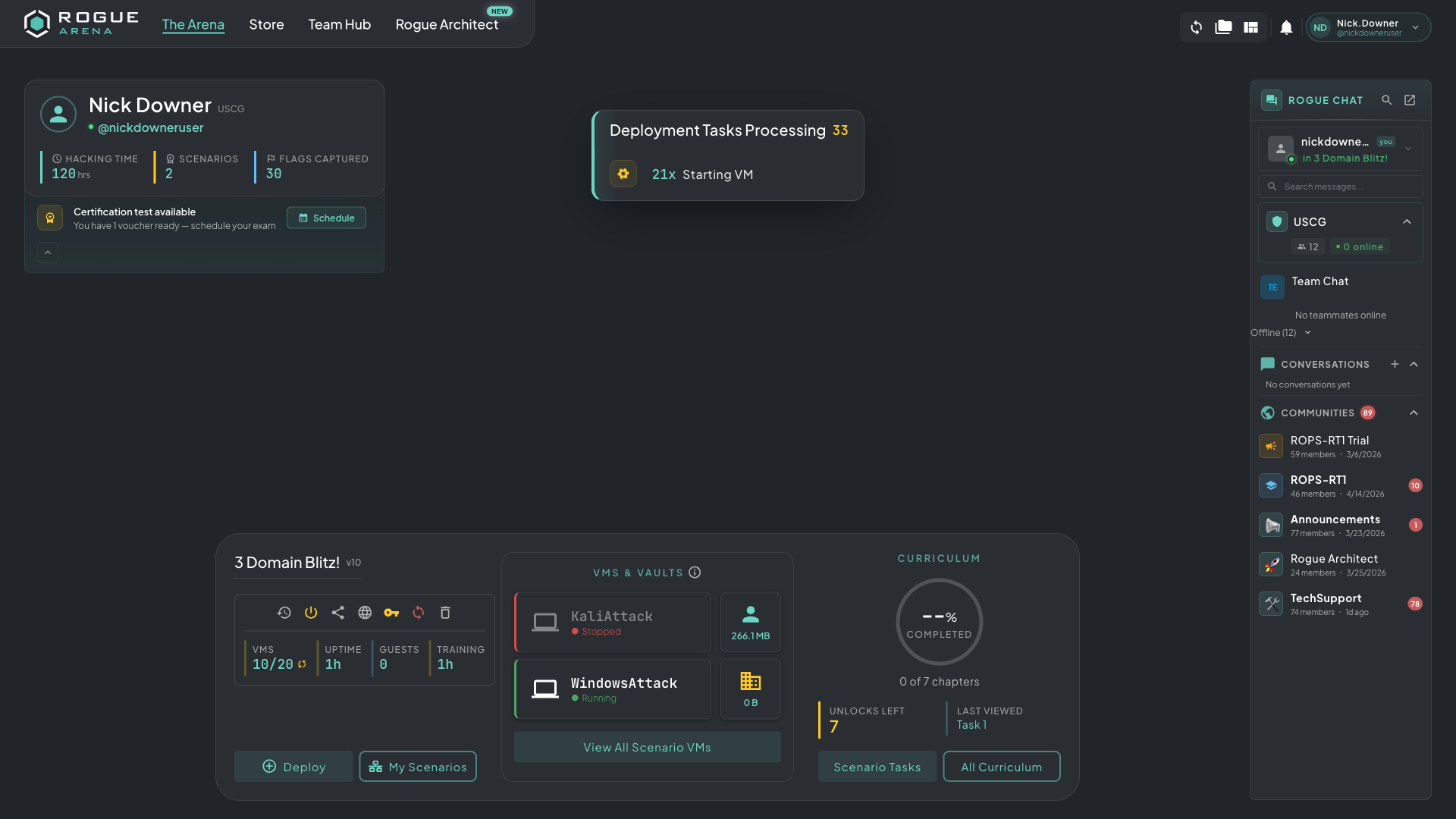 Arena home during a build — VMs come up in tiers, with domain controllers and infrastructure starting before dependent machines.
Concurrent Deployments
Section titled “Concurrent Deployments”Enterprise customers can run multiple deployments simultaneously and hot-flip between them — a demo environment, a tool testing range, and a training scenario all live at the same time. No teardown, no wait. Switch from one to another from the Scenario Manager and pick up exactly where you left off.
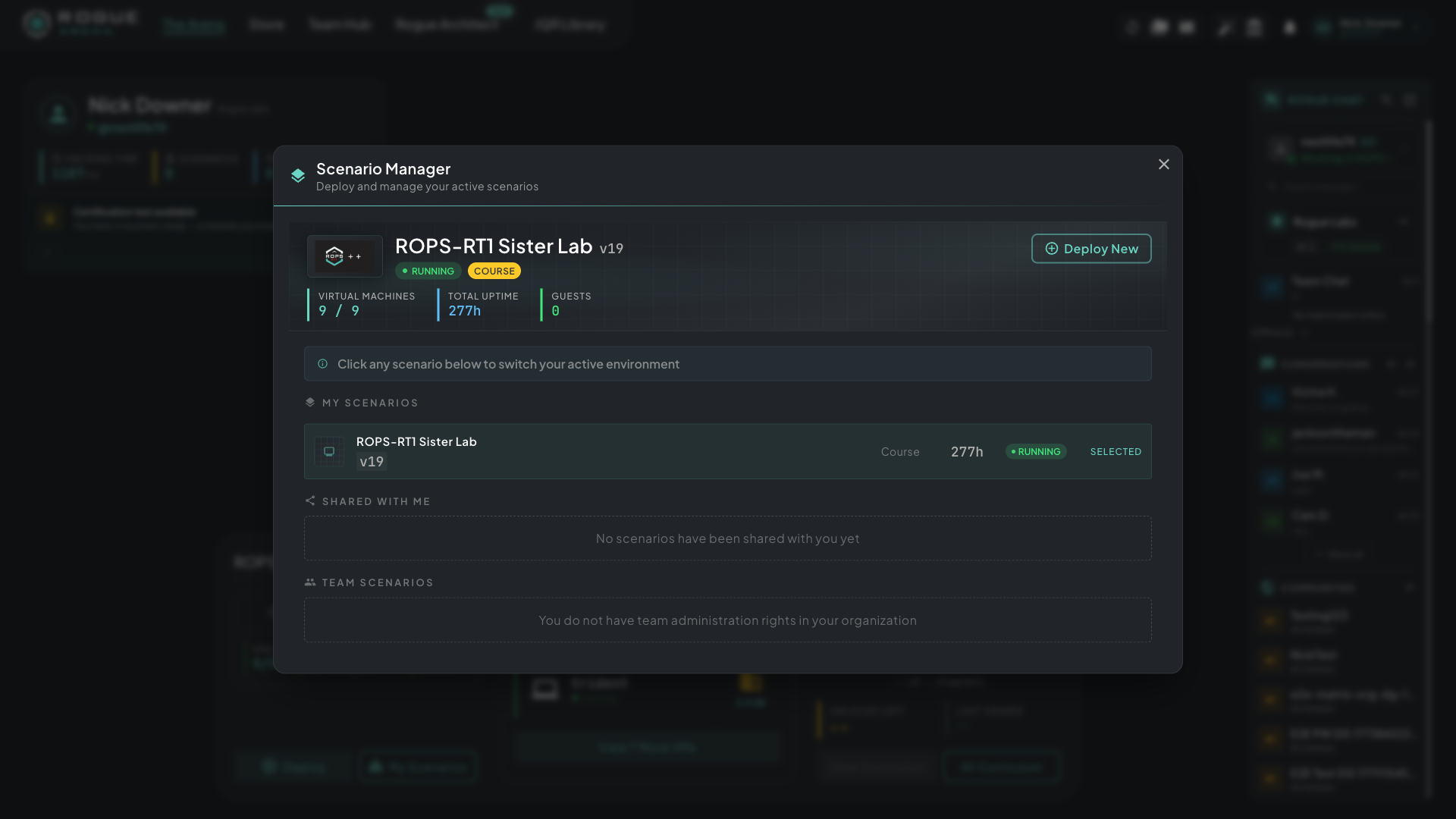 Scenario Manager — switch between active deployments without tearing down; each environment keeps its own state.
Each deployment is fully independent — separate networks, separate machines, separate state.
After Deployment
Section titled “After Deployment”Once the status shows Running, your machines are ready. Head to Operating a VM to get into the environment.