

Building a Plugin
Authoring a plugin breaks down into four stages. Start with a fresh plugin (or clone an existing one), write the Ansible task list, fill in metadata via the top-bar panels, then publish a version and decide who can use it.
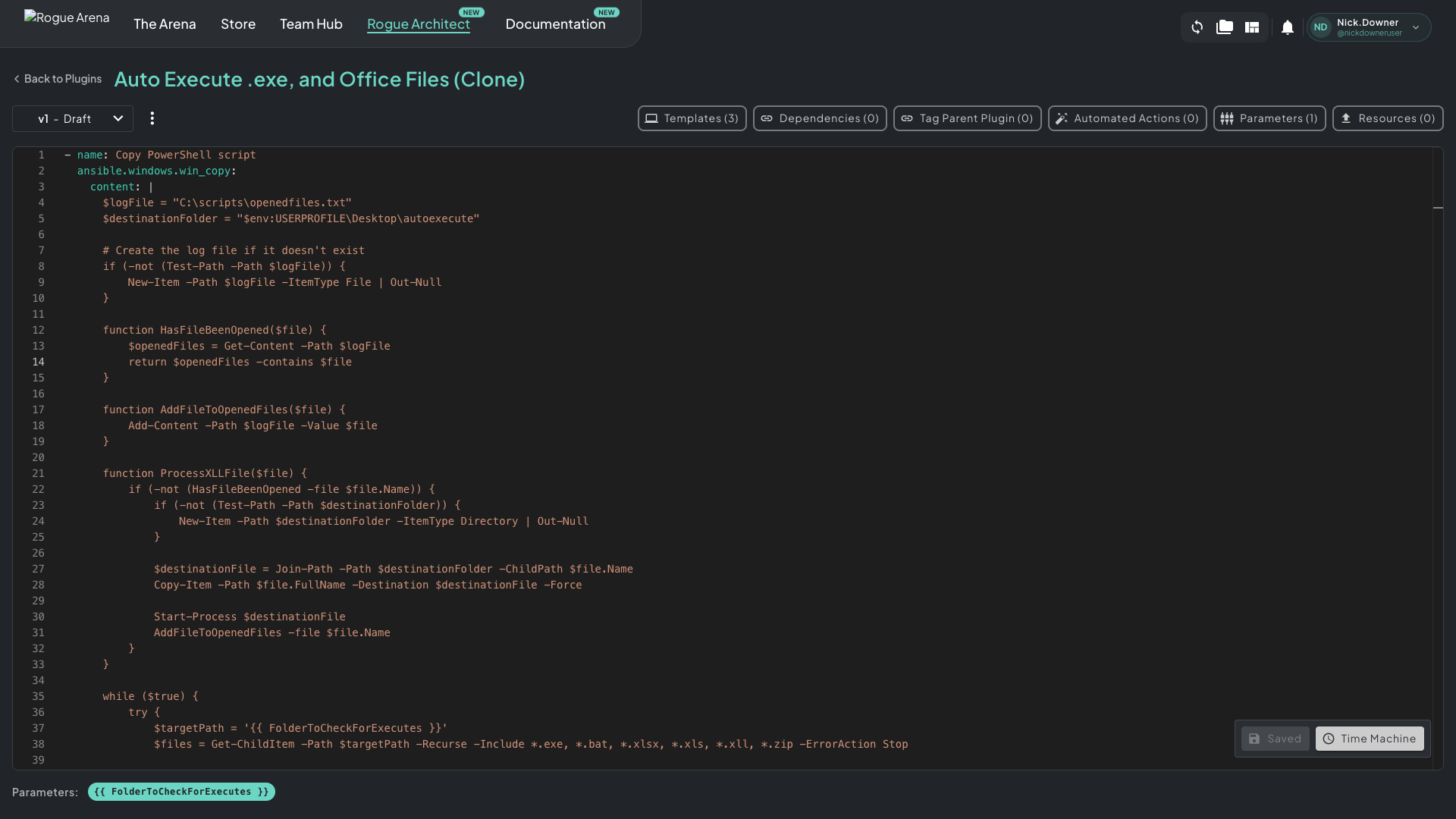 Inside a plugin — YAML editor in the middle, metadata panels across the top, version dropdown and save controls on the corners.
The Build Flow
Section titled “The Build Flow”Four steps from idea to a published plugin — click a step to learn more.
Creating the Plugin
Start fresh with Add New Plugin or fork an existing one with Clone.
iiUpdating the Ansible Code
Write the task list the right way — no playbook header, vault-staged files, inline scripts, validation.
iiiUpdating Metadata
Templates, Tag Parent Plugin, Automated Actions, Parameters, Resources — the panels across the top of the editor.
ivPublishing and Sharing
Cut a version with a changelog, then control who can edit, clone, or use the plugin.