Activity Feed
The Activity Feed provides a chronological timeline of everything happening across your team — completions, deployments, certifications, and more.
Required role: Team Manager or Org Manager
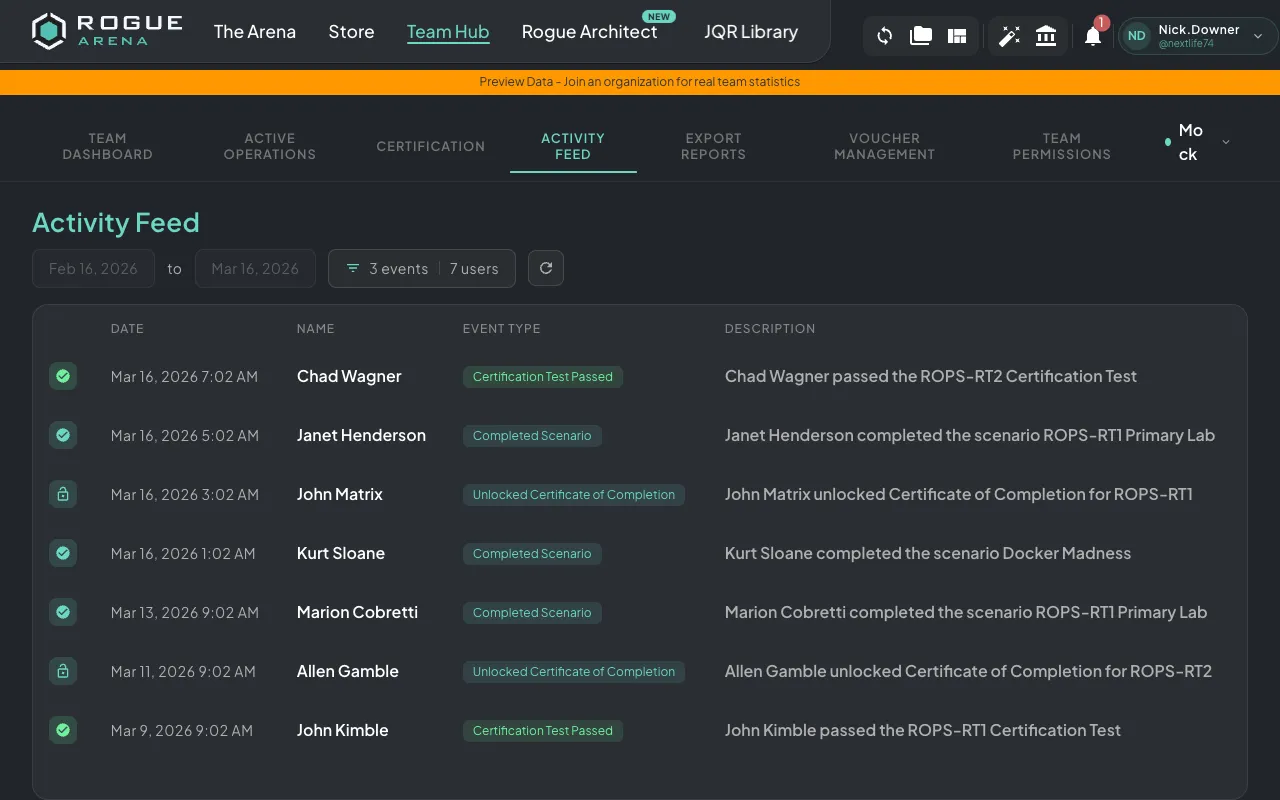 Activity Feed — a chronological timeline of team events, filterable by date range, event type, or specific team member.
Event Types
Section titled “Event Types”The feed captures everything material a team member can do on the platform. Open Filter Options to see the full event taxonomy and toggle exactly which categories you care about:
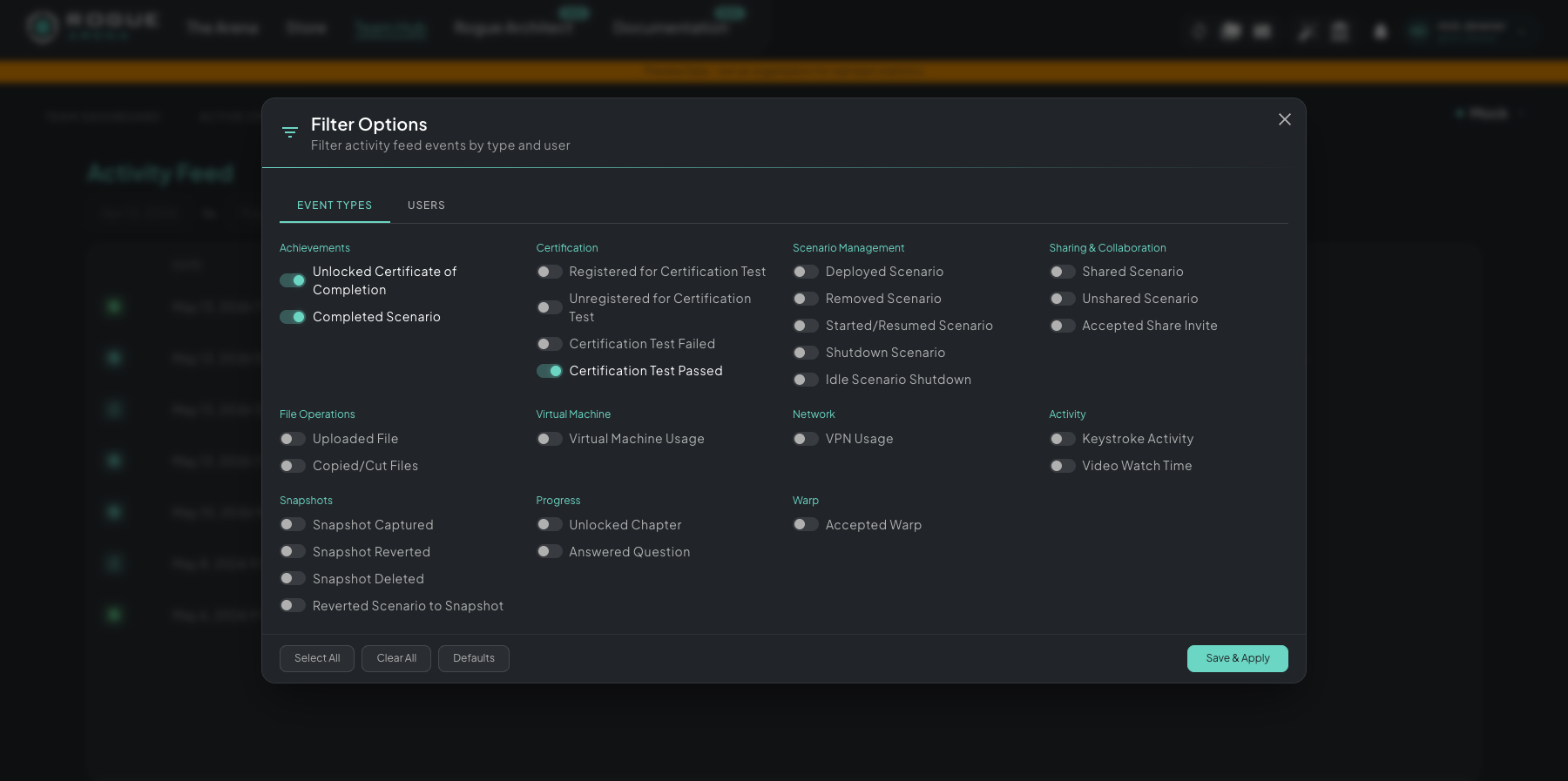 Filter Options — every event the feed tracks, grouped by category. Toggle event types on the Event Types tab; switch to Users to scope the feed to specific team members.
The taxonomy at a glance:
- Achievements — unlocked certificate of completion, completed scenario
- Certification — registered / unregistered for a cert test, passed, failed
- Scenario Management — deployed, removed, started/resumed, manual shutdown, idle shutdown
- Sharing & Collaboration — shared scenario, unshared scenario, accepted share invite
- File Operations — uploaded file, copied/cut files
- Virtual Machine — VM usage events
- Network — VPN usage
- Activity — keystroke activity, video watch time
- Snapshots — captured, reverted, deleted, reverted scenario to snapshot
- Progress — unlocked chapter, answered question
- Warp — accepted warp
Each event shows the team member involved, a description of what happened, and a timestamp.
Filtering
Section titled “Filtering”Filter by event type and user independently — the Filter Options modal has tabs for each. Combine them to scope the feed however you need (e.g., “every certification event for Alice in the last quarter”). Use Select All / Clear All to bulk-toggle a tab, Defaults to reset, and Save & Apply to commit your selection.
Date Range
Section titled “Date Range”Choose from preset ranges:
- Last 3 months
- Last 6 months
- Last year
- Custom date range