

Publishing and Sharing
The Plugin Dev editor saves continuously into the draft version. Publishing cuts a frozen, immutable version that scenarios can pin to; sharing controls who can do what with it.
Both actions live behind the ⋮ more menu next to the version dropdown.
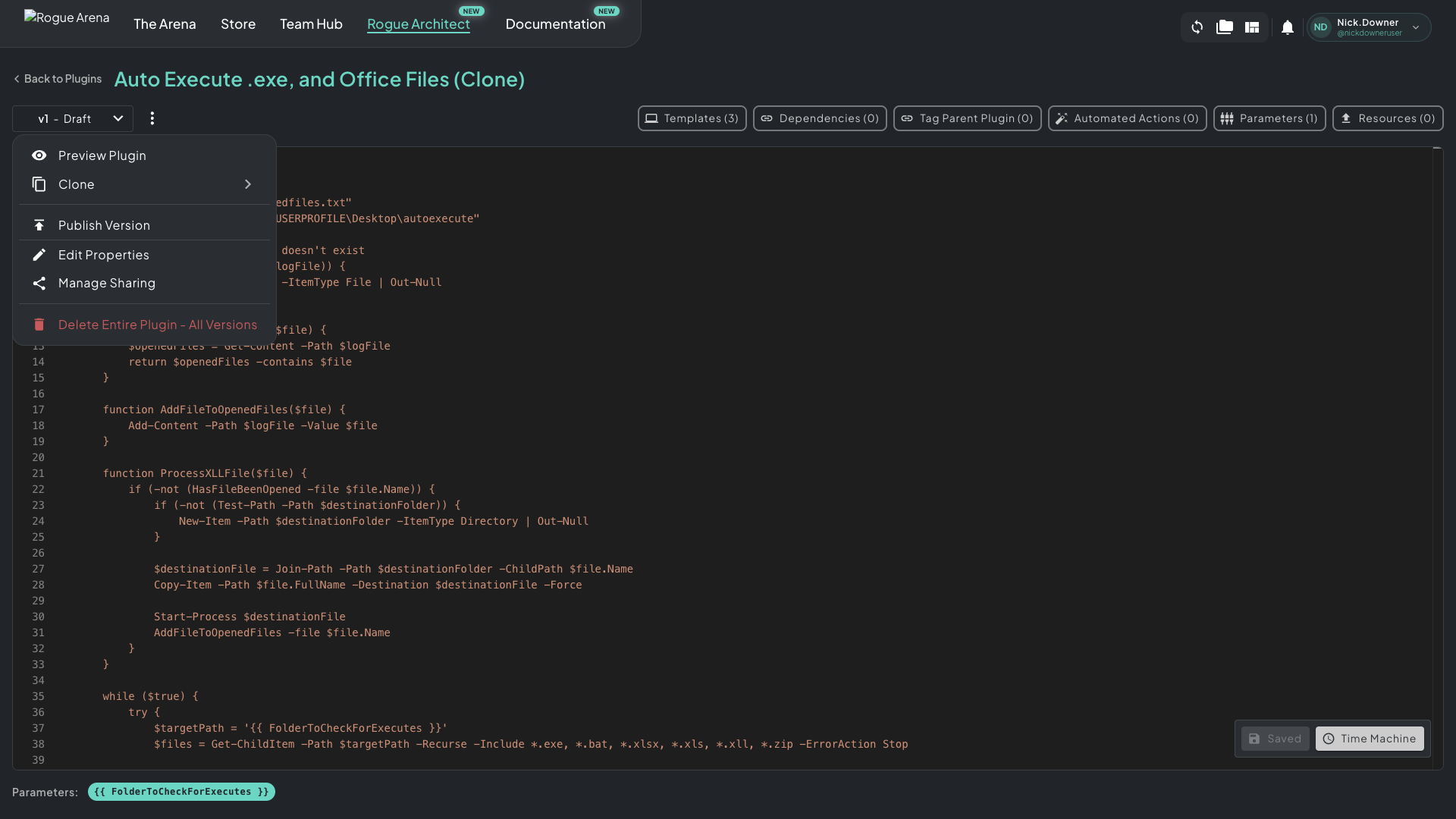 More menu — version actions, sharing controls, and the destructive delete option all live here.
Publish Version
Section titled “Publish Version”Click Publish Version to cut the current draft into a new immutable version.
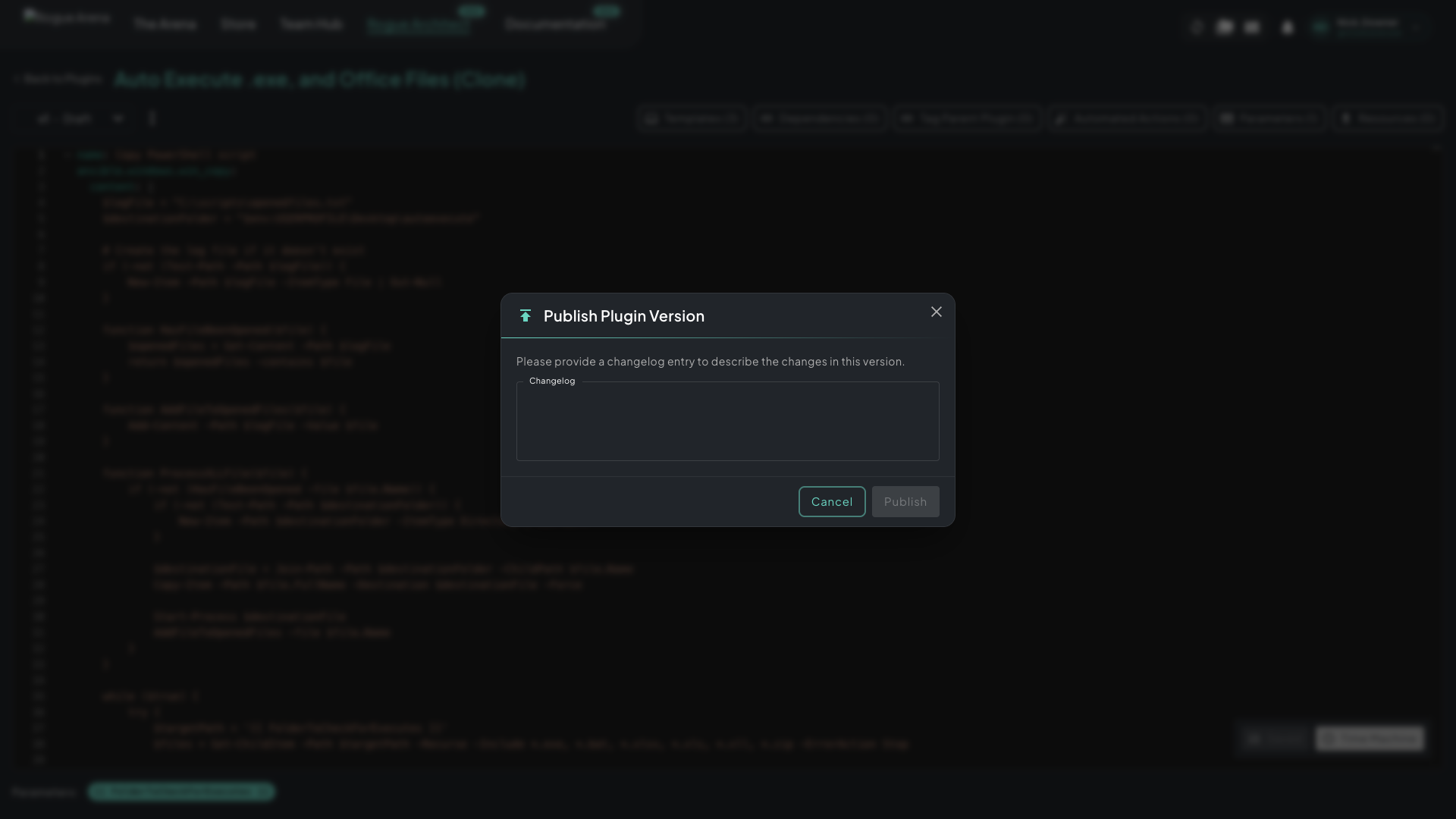 Publish Plugin Version — required changelog entry, then a single Publish click.
The changelog entry is required and lands on the version’s history page — write it for the person (or your future self) who’ll wonder “what changed between v3 and v4?”. Specific beats generic: “v4: bumped VLC to 3.0.20, added validation task for vlc.exe” is useful; “v4: updates” is noise.
Versioning rules:
- Older versions stay frozen. Scenarios pinned to v1 keep working when you publish v2 — there’s no breaking-change risk.
- Each publish is forward-only. You can’t un-publish; cut a new version instead.
- Anyone using older versions can opt in to upgrade on their canvas. Plugins never auto-upgrade on existing canvases.
Manage Sharing
Section titled “Manage Sharing”Click Manage Sharing from the more menu to open the sharing dialog.
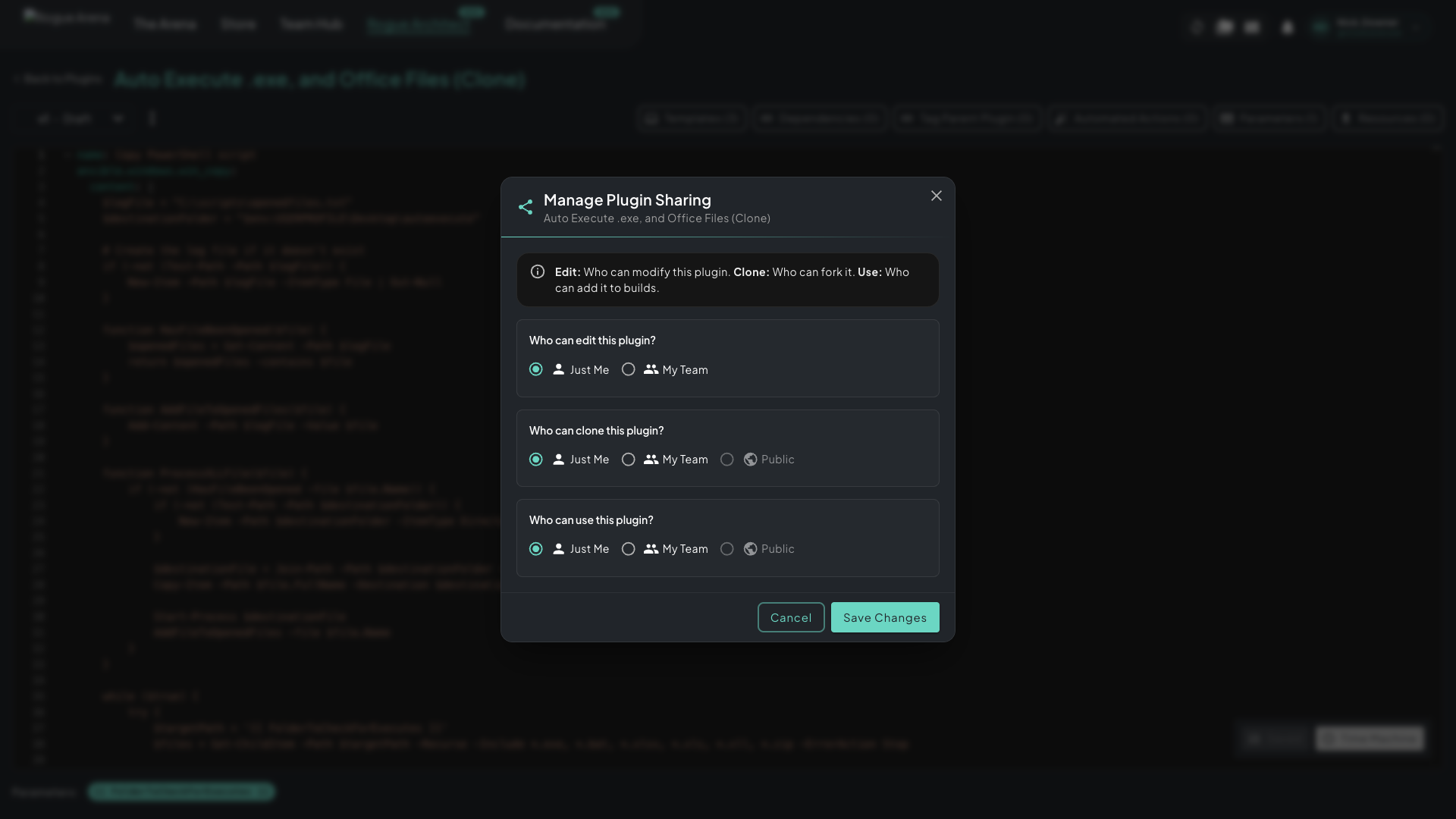 Manage Plugin Sharing — three independent permission scopes for edit, clone, and use.
Three permissions, set independently:
- Edit — who can modify this plugin. Almost always “Just Me” or “My Team.”
- Clone — who can fork the plugin into their own library. Cloning copies the YAML, params, and vault — the original stays untouched.
- Use — who can add the plugin to their builds. The most permissive scope; published Rogue Labs plugins set this to Public so anyone can drop them on a machine.
Scope options:
- Just Me — only you
- My Team — anyone in your team workspace
- Public — anyone on Rogue Arena
A common pattern: Edit = Just Me, Clone = My Team (let teammates fork and remix), Use = Public (let anyone build with it).
Other More-Menu Actions
Section titled “Other More-Menu Actions”The same menu also exposes:
- Preview Plugin — see how the plugin will surface on the canvas (icon, description, params)
- Clone — fork this plugin into a new draft in your library
- Edit Properties — name, description, category, icon — the plugin’s identity
- Delete Entire Plugin – All Versions — destructive. Wipes the plugin and every version. There’s no undo.
What Happens After You Publish
Section titled “What Happens After You Publish”A published version is immediately available to anyone within the scope you set on Use. They’ll see it in the Plugin Browser; they can drop it on a machine in any canvas; it’s ready to ship.
If you’re iterating on a plugin that’s already in use, keep working in the draft — publish a new version when the changes are ready, and existing scenarios won’t move until their owner opts in.