

Claude MCP - Active Deployments
Rogue Arena ships a Claude Code MCP plugin that gives Claude direct, tool-level access to the platform — 120+ MCP tools and 5+ skills in total. The other skills cover scenario building, plugin development, and platform admin (each documented in their own sections); this page focuses on the two skills that operate inside a deployed VM scenario.
Those two skills give Claude direct, no-SSH, no-RDP access to your live lab via a shared toolkit. We’ll cover the toolkit first, then walk through each skill.
The MCP Toolkit
Section titled “The MCP Toolkit”Once the plugin is loaded, Claude has direct API access to every deployment you own. Here’s the shape of what it can do — not exhaustive; the Hub serves the full tool catalog to Claude at runtime, and you can ask Claude to list every tool it has if you want the canonical view.
- VM control — start, stop, and revert VMs or the entire environment, without opening a console
- Snapshot management — create, revert, and delete snapshots on any VM for safe iteration
- GUI automation — click, drag, type, send key presses, chain multi-step UI sequences, and capture full-screen screenshots of any machine
- Script execution — run PowerShell or Bash scripts inline or as background jobs, with status polling and cancellation
- Filesystem access — list directories, read file contents, and grep across files on any VM
- File transfer — push files into a VM or pull artifacts back out, with progress tracking
- Process inspection — list running processes and inspect system state
- Engagement diary — persistent per-session notes that Claude reads and writes to track findings (credentials captured, footholds, lateral movement paths)
- Inventory — enumerate every scenario you’ve deployed and every VM inside each one
The Two Skills
Section titled “The Two Skills”Skills layer on top of the toolkit. They bundle the right tools, the right context, and the right workflow for a specific job so Claude doesn’t have to be re-briefed each session.
/rogue-active-deployment
Section titled “/rogue-active-deployment”The core “spin Claude up” skill. Loading it primes Claude with everything it needs to operate inside a Rogue Arena deployment from the first message:
- How Rogue Arena works — scenarios, VMs, snapshots, the engagement diary, and how state is scoped
- Which MCP tool to call for each kind of action so Claude routes correctly (e.g. run-script for commands vs gui-click for UI work) without you spelling it out
- Your live deployment context — the skill scans your deployment on load to pull every VM’s name, role, IP, OS, and credentials, so Claude has the full inventory before you say anything
- Operational limits and conventions — when to snapshot, what’s safe to run without confirmation, and how to log findings in the diary
You describe what you want done; Claude picks the right tool, runs it on the right VM, and announces the category of action before acting. No re-briefing, no copy-pasting context.
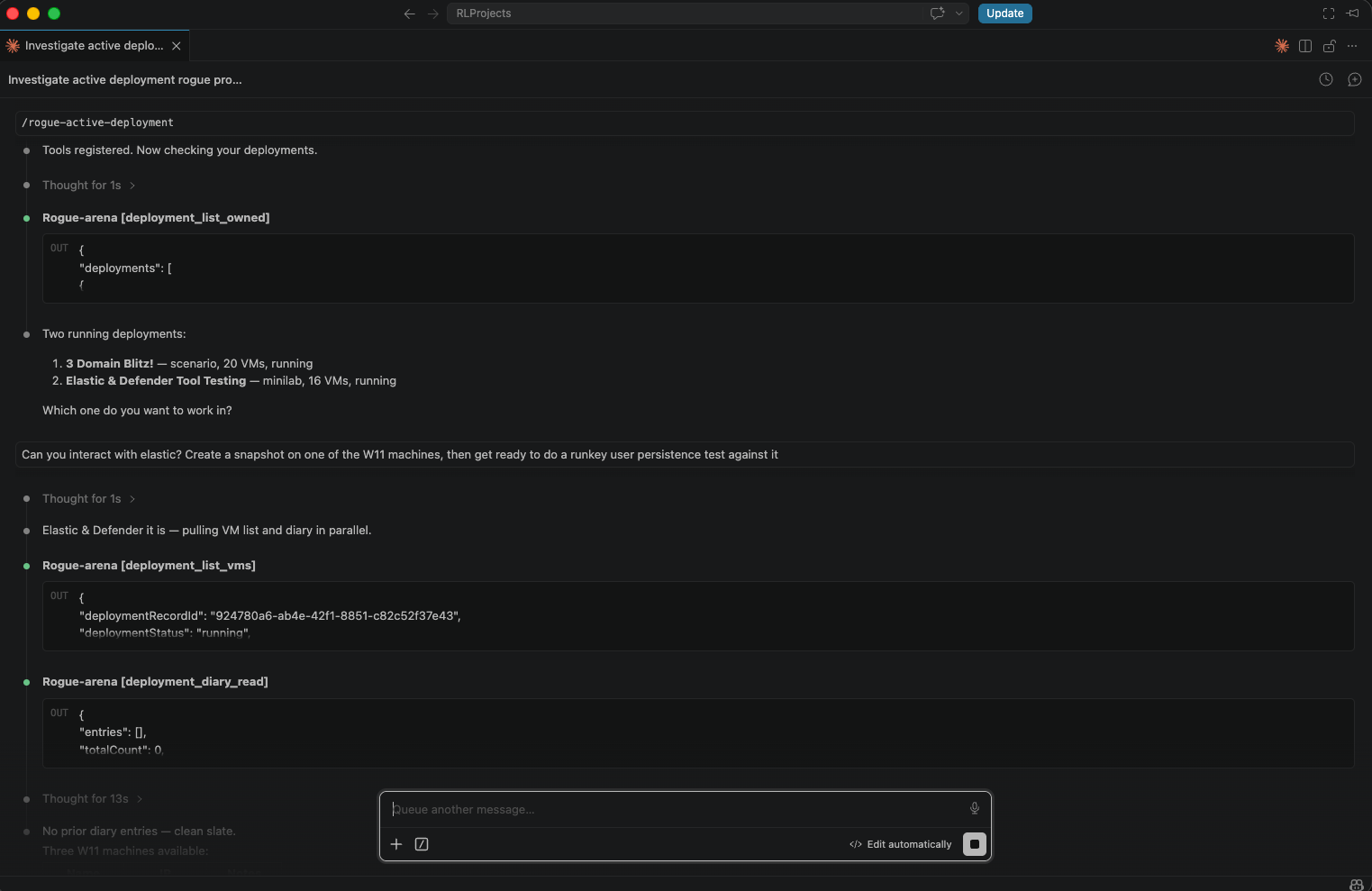 Loading the
 /rogue-active-deployment skill — Claude registers the tools, lists every deployment you own, and asks which one to operate in.
Common workflows once the skill is loaded:
- Command execution — run shell and PowerShell scripts across any VM in the scenario, inline or as background jobs
- GUI control — capture screenshots and drive GUIs when a CLI isn’t enough (click, type, key, drag, multi-step sequences)
- File transfer — move files in and out of any machine without setting up SCP or shares
- Safe iteration — snapshot before a risky step and revert if something goes sideways
- Findings tracking — log captures, footholds, and lateral movement notes to the engagement diary so the session has a clear paper trail
- Chained multi-step jobs — ask once and Claude orchestrates the whole flow. Example: “Download, install, and configure Notepad++ on
win11-target, then start hunting for a DLL hijack with Sysinternals.” Claude pulls the installer, runs the GUI install, drops Procmon and the right Sysinternals tools, captures a trace while Notepad++ launches, and surfaces the missing DLLs as hijack candidates — without you driving each step.
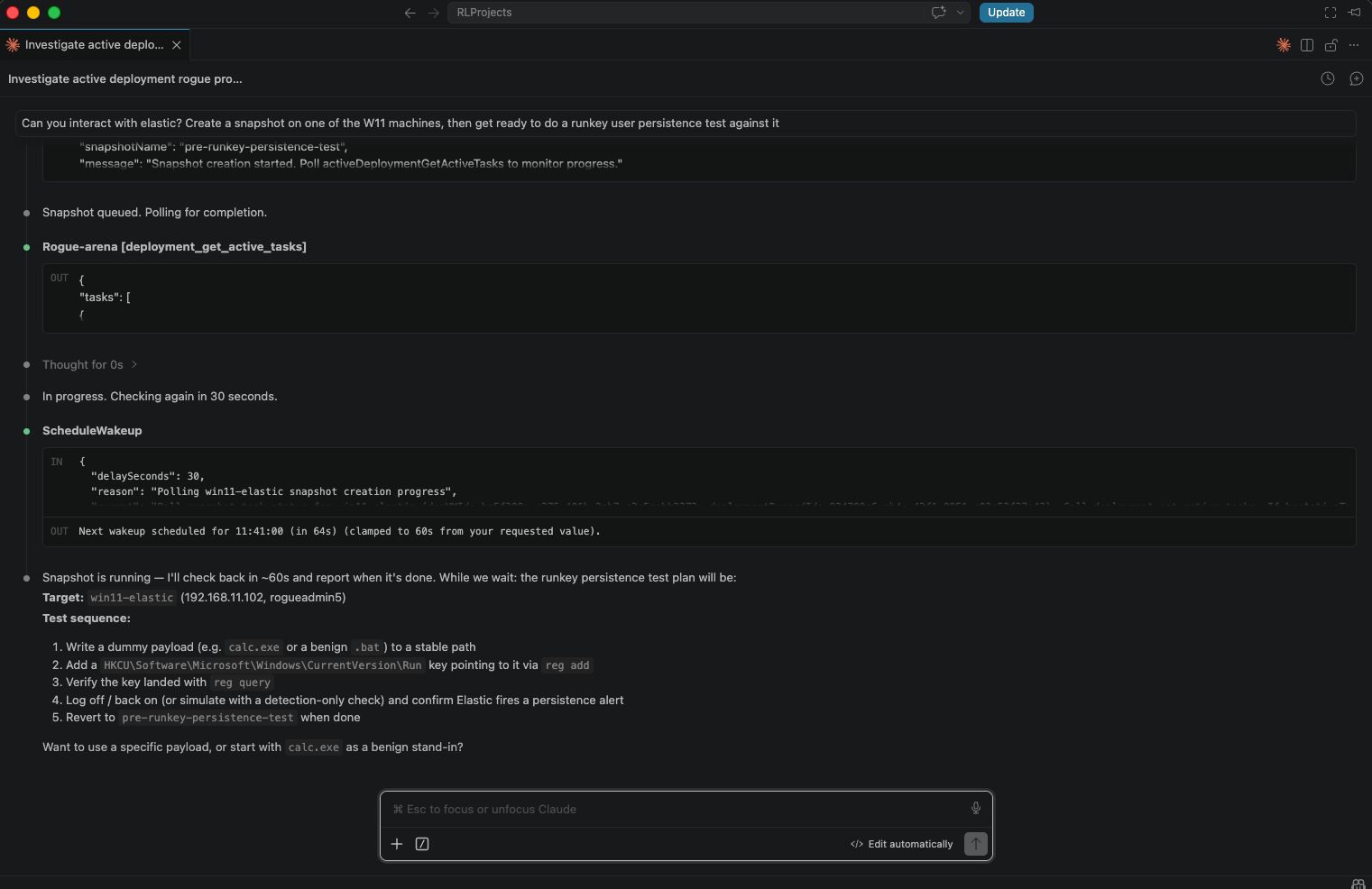 Mid-operation — Claude takes a snapshot of the target VM, polls until it’s ready, then proposes a step-by-step persistence test against it.
/rogue-maldev
Section titled “/rogue-maldev”Extends the active deployment skill for red-team tool testing and detection research. Built around a structured test loop:
- Snapshot the target VM
- Execute the payload or technique
- Query the SIEM for detections, correlated by a unique test marker per technique
- Revert to the pre-execution snapshot
- Iterate — modify the payload and repeat
The skill can start from wherever you are in the process:
| Starting point | Entry |
|---|---|
| You have a ready tool or payload | Jump straight to execution |
| You have a list of MITRE technique IDs | Generate a playbook first |
| You’re researching a TTP category | Pull Atomic Red Team YAML and build from there |
| No fixed target yet | Browse TTP categories and pick a scope |
At the end of a session Claude produces a per-technique report with an expected-vs-observed rule matrix — what the detection should have fired on, what actually triggered, and what evaded.