

Phase 1: Plugin Development
Before writing a single line of scenario, you need to know whether the platform can actually support what you want to teach. For ICS/SCADA, that answer was: not yet. This phase is how we changed that.
Figuring Out What You Need
Section titled “Figuring Out What You Need”The first question isn’t “what plugins should I build?” — it’s “what does a real ICS/SCADA course need students to work with?”
The research approach here was deliberate: scrape syllabi and tool lists from major course providers (SANS and more boutique ICS-focused trainers), cross-reference them, and build a composite picture of the software stack a credible ICS/SCADA course requires. Claude handled the research — pull the syllabi, extract the tool lists, normalize them into a structured format.
Then feed your own course outline to Claude and ask it to gap-analyze: what’s in the catalog, what’s missing, what’s listed in the catalog but not configurable enough for your use case? This produces a prioritized list, not a wish list.
Once you have it, that list becomes the argument to /rogue-plugin-brainstorm. Paste the course outline and the gap list directly into the prompt — the brainstorm skill takes whatever context you give it, does its own deep research from there, and kicks off the full scaffold and develop pipeline.
For this build, that process surfaced 14 new plugins that needed to be built from scratch:
| Plugin | Description |
|---|---|
| ICS Device Emulator | Deploys a rack of Conpot-based emulated ICS devices on a single Ubuntu VM via Docker macvlan — each gets its own IP and MAC on the OT VLAN. Responds to Modbus TCP, S7comm, SNMP, and HTTP. |
| HMI Client - Windows | Installs RapidSCADA on a Windows workstation with auto-configured Modbus data sources and a live web HMI dashboard showing real-time register values. |
| HMI Client - Linux | Runs a pyModbus poller as a persistent systemd service, continuously reading holding registers from configured ICS devices. |
| ICS Network Security Monitor | Zeek with CISA ICSNPP ICS protocol plugins — produces structured modbus.log, dnp3.log, enip.log, bacnet.log, and s7comm.log from live OT VLAN traffic. |
| DNP3 Outstation Emulator | OpenDNP3-based outstation containers on TCP 20000, each with its own OT VLAN IP. Emulates substation RTUs and electric grid devices. |
| OPC-UA Historian | python-opcua server on port 4840 that bridges Modbus register values into a browseable OPC-UA node hierarchy. Enables historian enumeration and lateral movement exercises. |
| ICS Process Simulator | Physics simulation engine writing continuous time-varying values to Conpot Modbus registers — tank level, pump flow, valve state, pressure. Keeps sensor readings realistic for anomaly detection training. |
| Safety Instrumented System (SIS) | Monitors Modbus process values against safety thresholds and writes emergency shutdown signals on breach. Enables TRITON/TRISIS-style attack and response exercises. |
| PCAP Collector Server | Central pcap archive with SSH ingress for sensors and an nginx directory listing for browser-based download. |
| PCAP Sensor - Linux | tcpdump rotating captures running as a systemd service, with a cron job scp-pushing completed files to the collector. Supports Ubuntu and Debian. |
| PCAP Sensor - Windows | Wireshark dumpcap.exe rotating captures via scheduled task, with pscp.exe pushing completed files to the collector. |
| Security Onion NSM | Security Onion 2.4 airgap standalone on Oracle Linux 9 — Zeek, Suricata, Elasticsearch, Kibana, Grafana, and 8 ICSNPP OT protocol parsers in a single airgap ISO install. |
| OT Host Artifact Workstation | Eric Zimmermann EZ Tools offline install on Windows (EvtxECmd, MFTECmd, RECmd, Timeline Explorer) for host-based forensic analysis exercises. |
| ICS Attack Replayer | tcpreplay + pyModbus scheduled attack engine — generates unauthorized Modbus writes, unit-ID scans, OPC-UA enumeration, and replayed malicious pcap sequences to produce real IOCs. |
/rogue-plugin-brainstorm
Section titled “/rogue-plugin-brainstorm”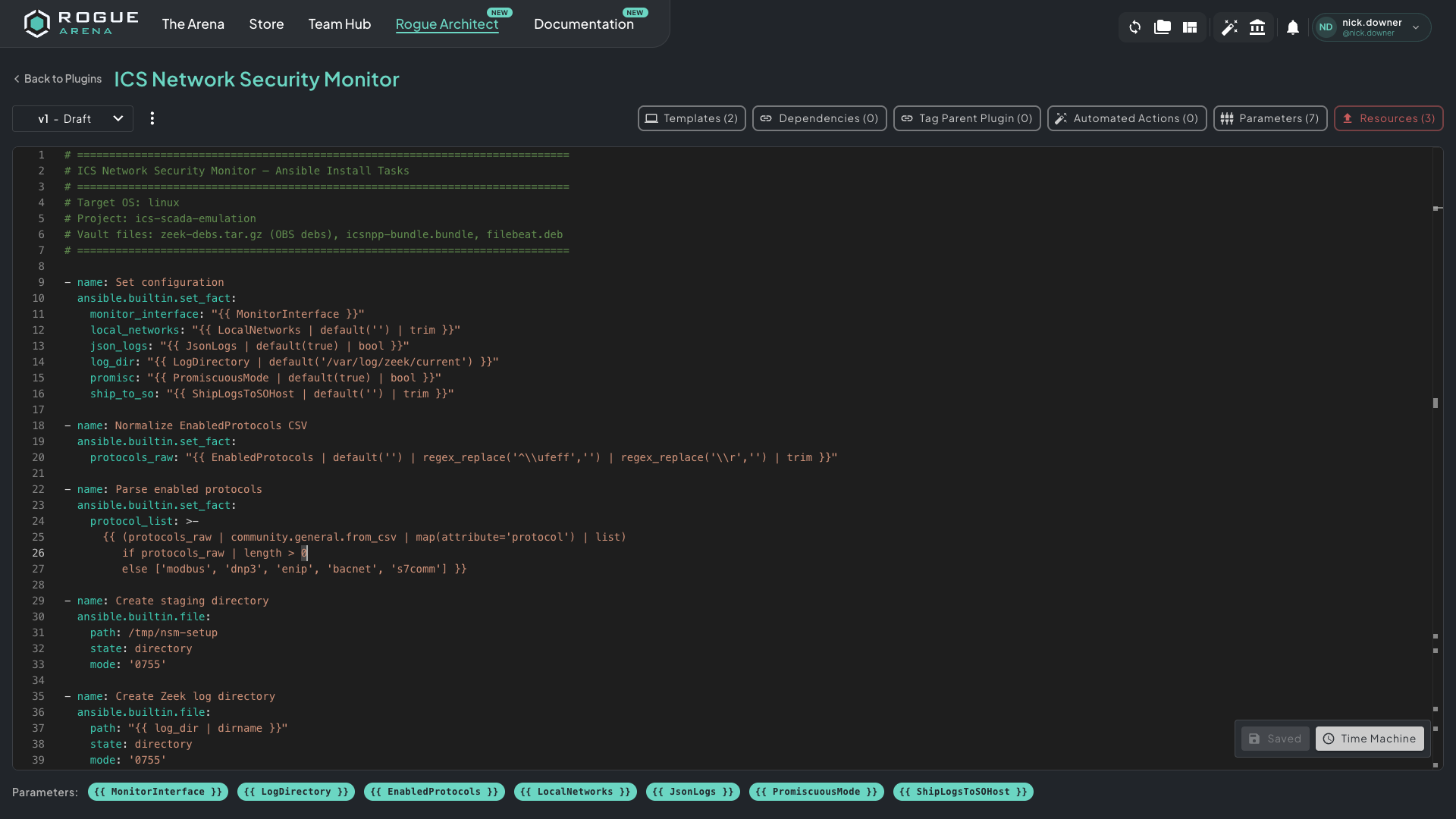 The Plugin Dev environment — Ansible automation, parameters, vault files, and automated actions all in one place. Claude authors the YAML directly here.
Don’t build one plugin at a time. Run /rogue-plugin-brainstorm and give it the full list in a single pass. It researches the install story for every plugin, plans the full slate with names, descriptions, and parent/child relationships, scaffolds all the local files, and hands the bundle off to /rogue-plugin-develop to execute.
A few things that make this work faster:
- Tell Claude to search the web. It can scrape install guides, GitHub issues, vendor docs, and forum threads in real time — this dramatically cuts down cycles on gnarly plugins where the install path isn’t obvious.
- Bring everything you have. PDFs, install guides, vendor docs — paste or attach them. The more context upfront, the fewer loops it needs.
- Let it plan the dependencies between plugins. For a stack like this, some plugins depend on others (process sim needs the device emulator running, the NSM sensor needs a monitor interface). Brainstorm figures out the dependency graph so develop can build the canvas in the right order.
/rogue-plugin-develop
Section titled “/rogue-plugin-develop”/rogue-plugin-develop takes the scaffolded files and owns the entire build loop from there. You don’t triage Ansible logs. You don’t manually track which plugins are broken. Claude handles all of it and tells you when to redeploy.
The staging run happens here. ICS/SCADA plugins have heavy offline install dependencies — binaries, container images, Python wheels, ISOs. The first build usually needs internet:
- Claude produces a complete dependency manifest — every file needed for offline install across all 14 plugins
- You enable internet on the build hosts (temporarily)
- Claude downloads each dependency and uploads it to the appropriate plugin vault
- You disable internet — from here, every build runs fully offline
The Test Canvas
Section titled “The Test Canvas”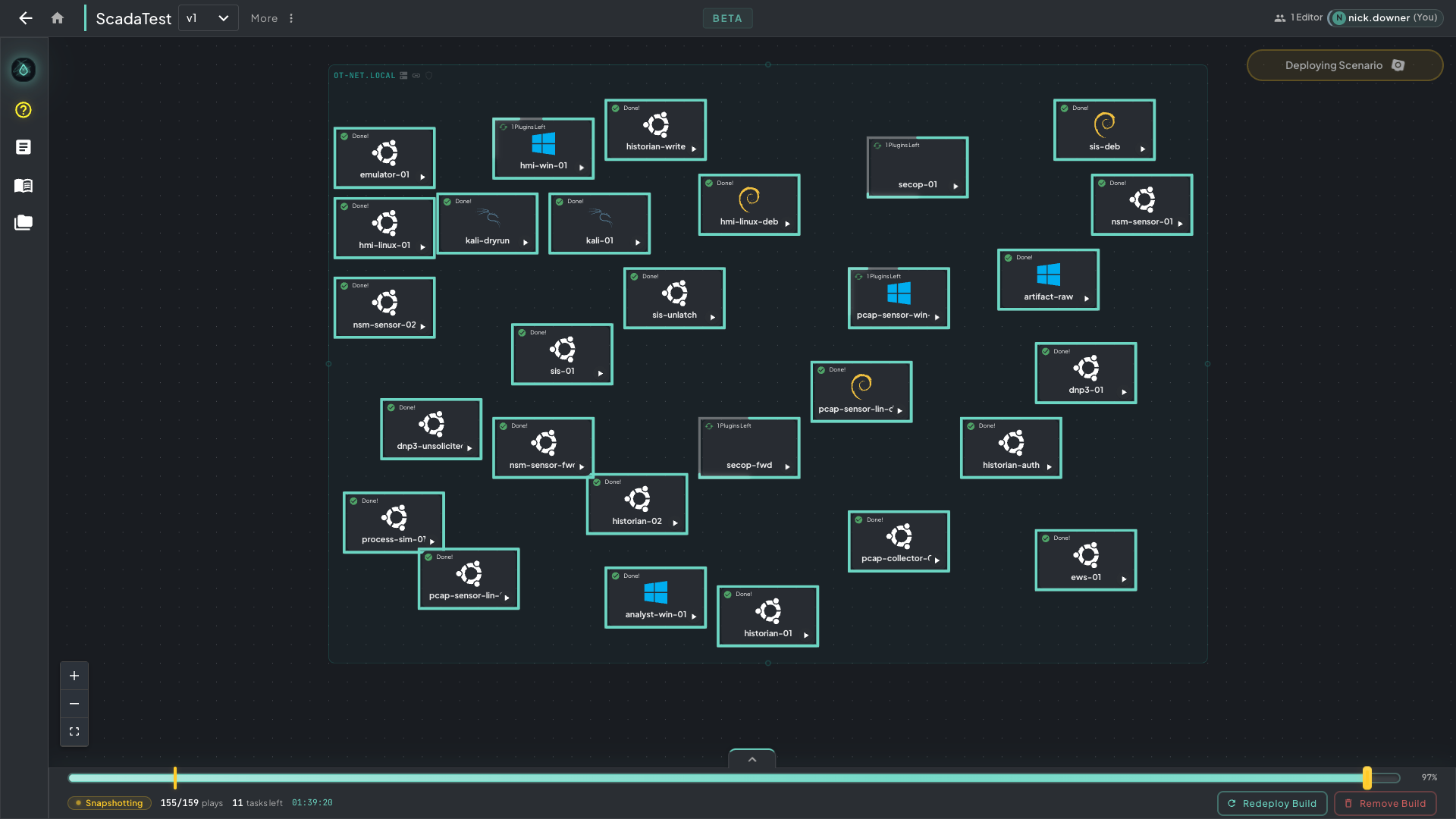 The ScadaTest plugin validation canvas — purpose-built to exhaustively test every plugin and parameter combination before they ever touch the course canvas.
/rogue-plugin-develop also builds the test canvas for you — a blueprint designed to exhaustively exercise every plugin and every parameter combination. This is not the course canvas. It exists solely to validate that every plugin works before it ever touches a student environment.
From first deploy, /rogue-plugin-develop runs the full debug loop:
- Hit deploy
- Claude reads the Ansible logs, identifies every failure, and triages root cause
- Claude fixes the YAML and vault files, re-stages any changed dependencies, and tells you to redeploy
- Repeat until every plugin is clean
The ICS/SCADA plugins were the most complex built on the platform at that point. Plan for multiple cycles — the loop itself is fast, the patience required is for the number of them.
Once every plugin passes, Phase 1 is done. Move on.